Every room, right in Home Assistant.
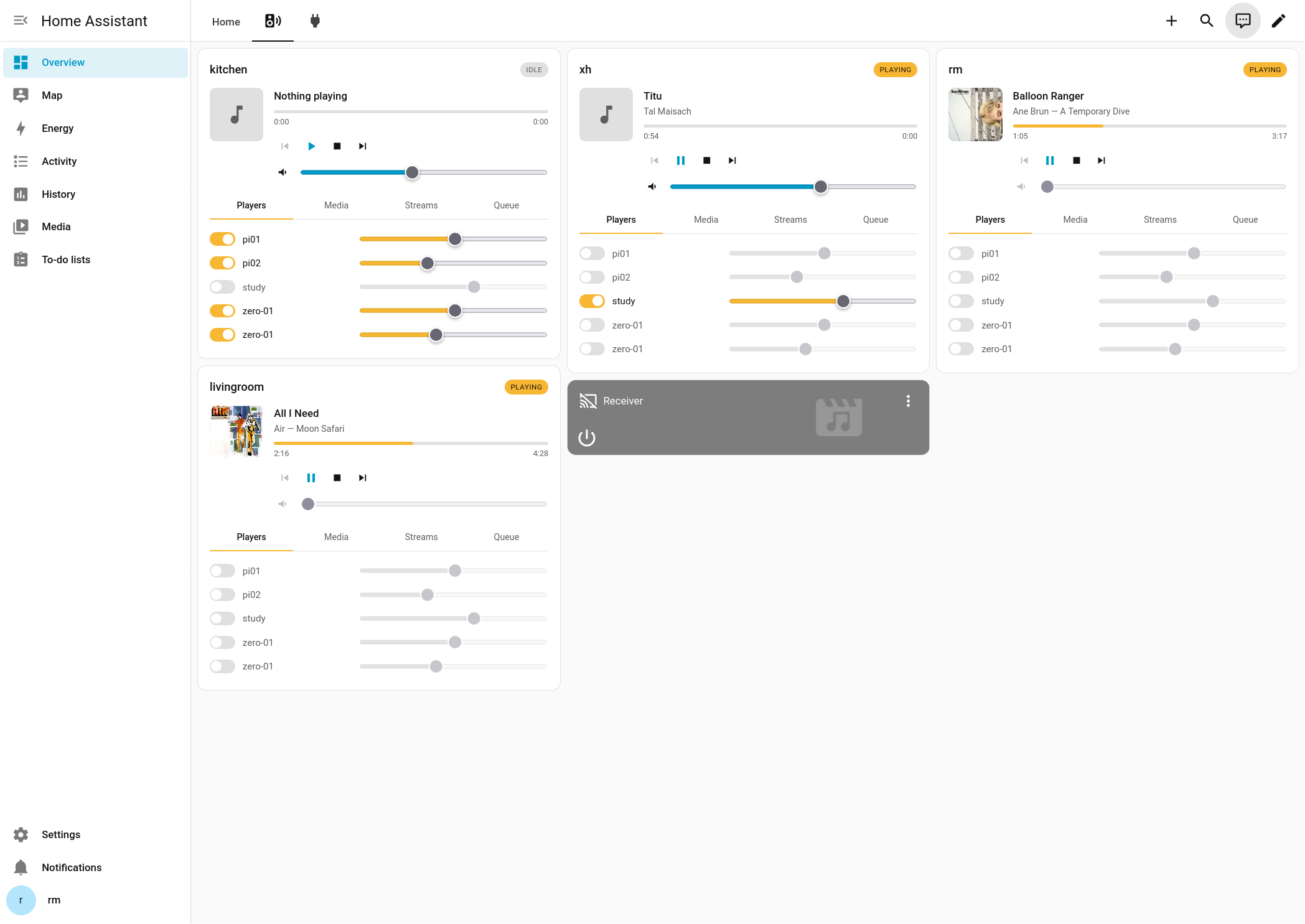
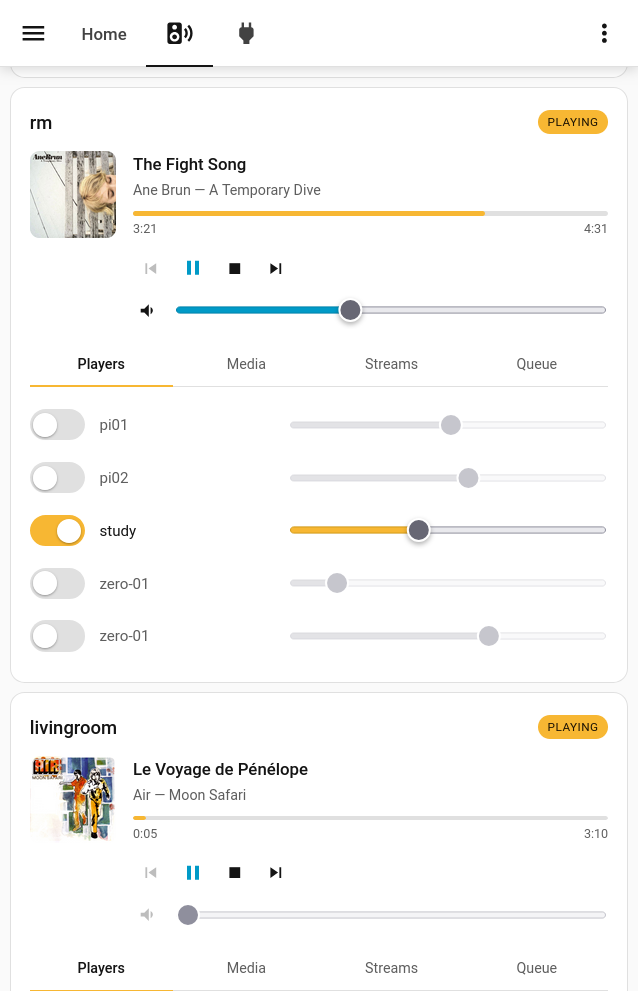
The ondaire integration turns each room into a Home Assistant media_player — play/pause, volume, and speaker grouping — and ships a custom Lovelace card that mirrors the ondaire app: players, the media library, stream presets, and the shared queue. Every request is proxied through Home Assistant, so your dashboard talks only to HA.
How it works
Under the hood, the integration talks to a single room (master) node's HTTP API and mirrors live cluster state from that node's WebSocket feed — so adding one node to Home Assistant reaches the whole cluster, players included. Every ondaire node, whether it's a full room or a bare ESP32 speaker, shows up as its own media_player entity.
Grouping reuses Home Assistant's own join/unjoin model, the same convention Sonos and HEOS integrations use: join a room into another room's group and it starts following that group's playback; unjoin and it splits back off on its own. If the master your dashboard was talking to disappears — reboot, network hiccup, whatever — the integration fails over to another master automatically, so you don't lose control of the cluster over one node dropping out.
That WebSocket feed is what makes the following feel instant rather than polled — volume, transport state, and now-playing metadata update the moment they change anywhere in the cluster:
- Each room is a media_player: transport, group volume, and join/unjoin.
- A tabbed Lovelace card — Players, Media, Streams, Queue.
- Toggle any speaker into a room; per-speaker and proportional group volume.
- Browse and search your library, queue tracks or whole folders, play stream presets.
The card renders every one of those actions as a normal Home Assistant service call or a media_player/browse_media websocket command — nothing custom, and nothing the browser sends anywhere but Home Assistant itself. HA is the only thing that ever talks to an ondaire master directly.
Install
There's no App Store here — Home Assistant custom integrations install either by copying files by hand or through HACS, and ondaire supports both. The steps below are the manual path, which is the more predictable of the two for a self-hosted daemon you're already running somewhere on the LAN; if you'd rather have HACS track updates for you, add the GitHub mirror as a custom repository and install “ondaire” from there instead. Either way, the integration only needs a room node reachable on your network — there's no cloud account, no API key, and nothing else to install alongside it.
- Download the integration zip and unzip it into your Home Assistant
configfolder so the files land in<config>/custom_components/ondaire/. - Restart Home Assistant.
- Add a room under Settings → Devices & services — ondaire masters are auto-discovered over mDNS, or enter a host and port.
- Hard-refresh your browser once, then add an
ondaire-cardto a dashboard (one per room).